Bulk WhatsApp messages without getting blocked
How to send bulk WhatsApp messages without getting your number blocked: opt-in, approved templates, growing limits and the quality signals Meta watches.
 008 teamOctober 30, 20264 min read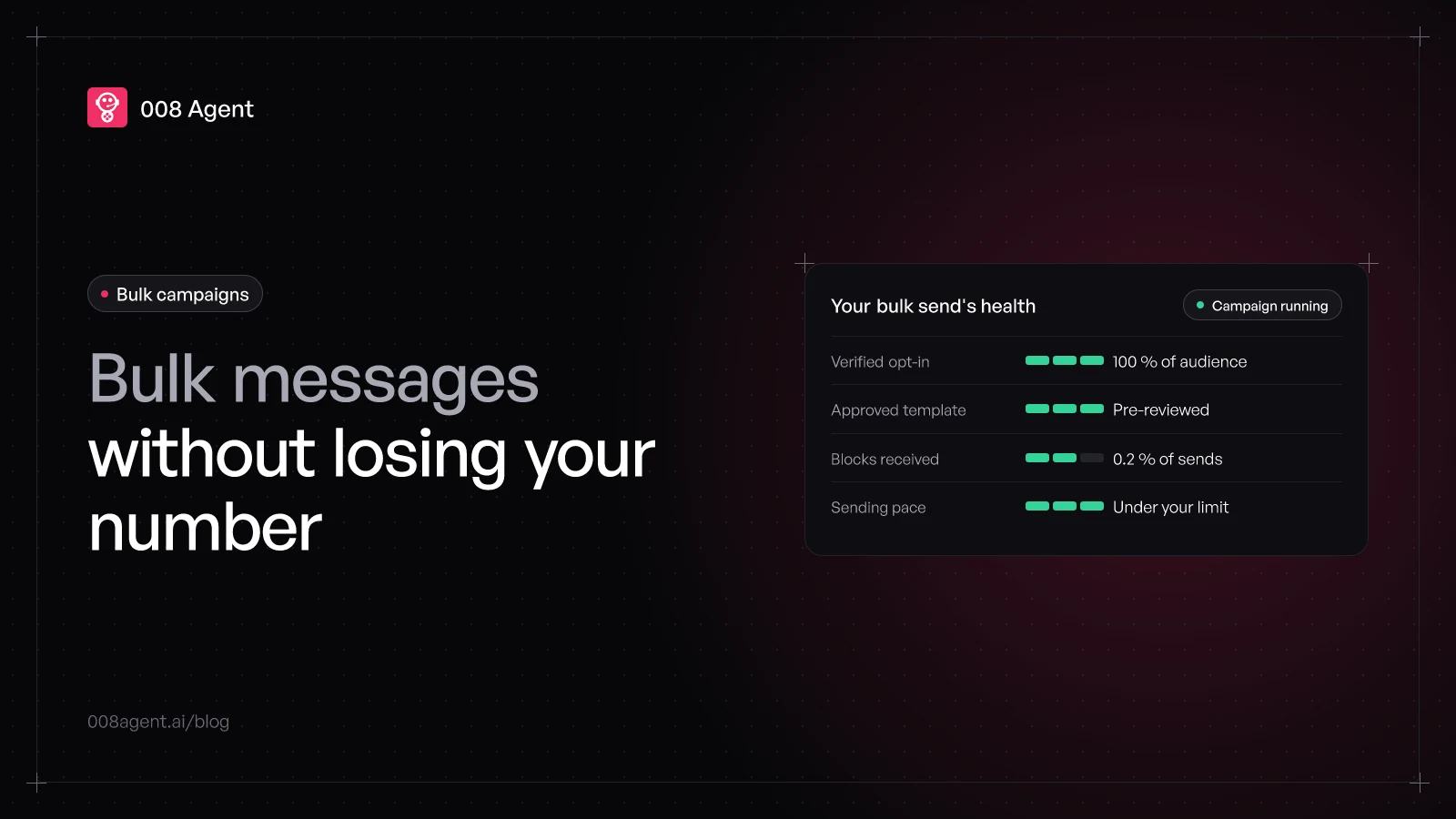
You know the pitch: a tool that blasts your message to 50,000 contacts in one afternoon. What the pitch leaves out is that the WhatsApp app isn't built for bulk messaging, and using it that way ends with a blocked number. What does exist is the official path: the WhatsApp Business API, with opt-in, templates and limits that grow when you keep quality high. This guide is that path.
Why numbers get blocked in bulk sends
WhatsApp blocks numbers when it detects automated or bulk messaging outside official channels: broadcast lists from the app, unofficial tools, purchased contact lists. The root cause is almost always the same: people who never asked to hear from you. Every block and every report counts, and after a few sends the number is unusable.
We cover the full picture in how to avoid getting your WhatsApp number blocked; this guide focuses on the bulk campaign itself: how to send at volume without breaking anything.
The foundation: opt-in and templates, in that order
No permission, no campaign. Meta's rule is clear: before you message someone, they must have opted in — and it's better to ask per category (appointments, promos, orders) than with an «accept everything» checkbox. That way the message that arrives is wanted, and whoever loses interest asks you to stop instead of blocking you.
The second pillar is the template: promotional or utility messages pass Meta's review before use. Getting it approved isn't an annoying formality: it's the difference between a legitimate campaign and spam.
How much you can send: your limit grows on its own
API limits are per portfolio (all the numbers in your account) and work as a ladder: you start at 250 unique users per day and climb to 2,000, 10,000 and 100,000 as you keep quality up. The system re-checks your tier every few hours, so today's careful campaign unlocks tomorrow's.
Two practical details: the limit counts unique users, not messages (a contact receiving several messages counts once), and tiers drop if your quality sinks consistently.
What WhatsApp watches while you send
Meta doesn't read your messages; it watches what recipients do. Three signals:
Blocks: how many people block you after receiving the message. The gravest signal.
Reports: if they mark you as spam. A high percentage wrecks your quality rating.
Engagement: replies, clicks, conversations. An audience that interacts is your best defense.
Your number's quality rating (green, yellow, red) sums up those signals. Green and your limit climbs; sustained red and Meta restricts templates first, then all sending.
How to build the campaign, step by step
Segment. Better 500 contacts who opted in than 5,000 purchased. Segmentation is half the result.
Get the template approved. Clear copy, no pressure, easy exit («reply STOP to opt out»).
Test a small batch. 10% of the audience tells you how the rest will react before you spend your limit.
Spread the send over time. Thousands of messages in a minute don't mimic a living business. Sequencing in spaced batches protects the number and lets the team handle replies.
Watch the first hours. Blocks above normal: stop, review audience and copy, retry tomorrow.
Measure and prune. Anyone inactive across several campaigns leaves the list. A list is tended, not accumulated.
If Meta restricts you, what it means
Official restrictions are gradual: first 1- or 3-day blocks on marketing, utility and authentication templates; if ignored, 5, 7 or 30-day blocks on all sending; and at the extreme, account closure. Each restriction comes with the reason in Meta's panel and, in most cases, an appeal option. The answer is never to open another number: it's to fix what triggered the restriction.
How 008 Agent does it
In 008 Agent, bulk campaigns run on the official API: approved templates, per-category opt-in and sequenced sending so the number never saturates. And we monitor account health (rating, blocks, limits) so the campaign brakes itself if a signal worsens, instead of finding out when it's too late. For large teams, the enterprise-scale blocking guide goes deep on portfolio limits.
To try a properly built campaign, create a free account or book a demo and we'll look at your case with your numbers.
Frequently asked questions
How many bulk messages can I send per day?
It depends on your quality tier: the official ladder goes from 250 to 100,000 unique users per day, per portfolio. It's not a fixed cap: you start low and climb if your sends get replies and few blocks.
Can I send bulk messages from the WhatsApp Business app?
Broadcast lists in the app work for small volumes and contacts who saved your number. For real campaigns, the WhatsApp Business API: templates, actual limits and a quality signal.
Does buying contact lists speed things up?
The opposite: it's the fast lane to a block. Without opt-in, people block and report you, your rating falls and your limit sinks. An owned list of 1,000 interested contacts outperforms 100,000 purchased ones.
What if my templates are already restricted?
Pause the sends, check the reason in Meta's panel (it usually names the template or the audience), fix it and appeal if eligible. Sending during a restriction escalates the penalty to the next level.
You might also like
AI agent: what it is, its components and how it differs from a bot
What an AI agent is, the components it's built from (brain, memory, tools) and how it differs from a bot or a decision tree, with real examples.
Best voice AI agents in 2026: an honest comparison
We reviewed the voice AI agent platforms that actually take calls in 2026 — from 008 Agent and ElevenLabs to Vapi, Bland, Synthflow, Infobip, Wati, Gupshup and Botmaker — plus which popular tools are text-only.
How to recover an abandoned cart with WhatsApp
70 % of carts never convert. The causes, the WhatsApp recovery sequence, and the mistakes that get your number flagged.
Put an agent to the test.
Request a demo or talk to our agent on WhatsApp right now.