Answering WhatsApp after hours with AI: a practical guide
How to cover overnight WhatsApp with an AI agent: what customers expect, where the free app tools fall short, the 24-hour window and a five-step rollout.
 008 teamNovember 19, 20264 min read
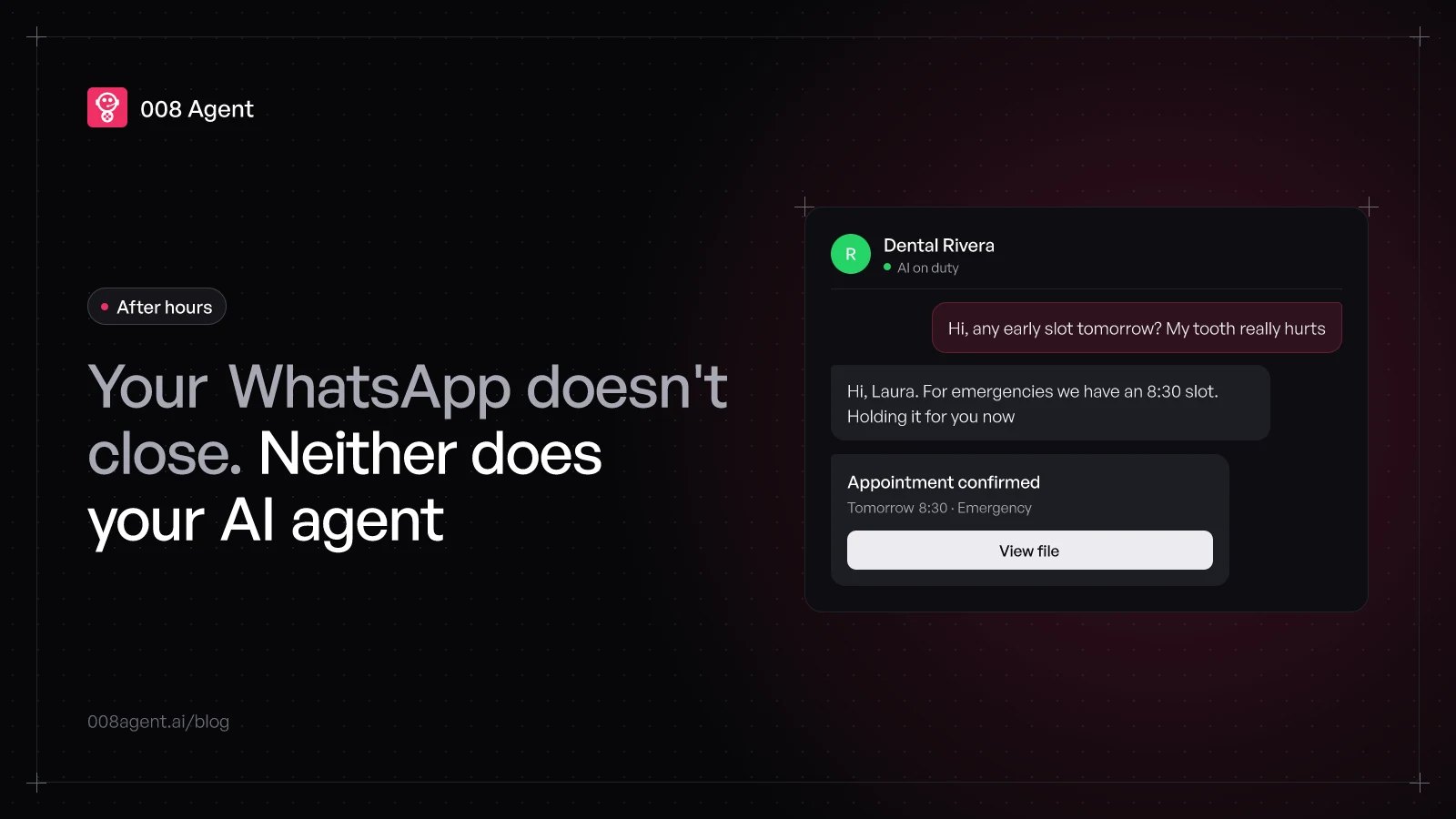
Your business closes at 6 p.m. Your WhatsApp doesn't. The 11:47 p.m. message is already on the customer's phone while your team sleeps, and that customer won't wait for morning: a HubSpot study found 82% rate an immediate response as important for sales questions, rising to 90% for support. Immediate means 10 minutes or less.
Meanwhile, the real average for companies answering a digital lead sits around 42 hours, per a Harvard Business Review study. That gap, between what customers expect and what they find, is exactly where the night sale dies. This guide is about closing it with an AI agent, without staffing a night shift.
What you already have for free (and why it falls short)
The official WhatsApp Business app ships three after-hours tools, all free:
The away message, sent automatically outside your business hours.
The greeting message, the first automatic reply for new contacts.
Quick replies, shortcuts for the texts you repeat most.
They keep you from looking like a ghost business, but they inform, they don't attend. The away message says «we'll answer tomorrow» and ends there: it doesn't book the appointment, doesn't check the catalog, doesn't take the order number. The customer gets a better-written closed sign.
And if you run on the WhatsApp Business API instead of the app, there's one more rule: outside the 24-hour window, only Meta-approved templates can be sent. Without something answering in the moment, the conversation cools until someone reopens it by hand.
What an AI agent answers at 11:47 p.m.
An AI agent isn't a better-written closed sign: it replies in seconds, with the business knowledge you've given it. Tomorrow's hours, whether there's an emergency slot, what the visit costs, where you are, whether the order shipped. And when the answer involves an action, it takes it: holds the 8:30 slot, confirms the booking, captures the case number.
The real difference is judgment. An away message treats the price shopper and the emergency the same. The agent tells them apart, asks what's missing and leaves the thread classified: who wrote, what they needed, what's left to do.
The 24-hour window plays in your favor
When a customer writes, a 24-hour window opens where you can reply freely, no templates. An agent answering at night uses that window right when the customer is watching the chat, and keeps the thread alive until your team walks in with full context. Let the night pass and the window closes; reopening costs an approved template and a message that sounds like paperwork.
How to set it up, step by step
No six-month project needed. The deployment that works follows five steps:
- Step 1What answers itselfHours, location, catalog, order status: the list of what needs no human
- Step 2Knowledge baseThe agent only says what you give it: business data, prices, policies, no invention
- Step 3Real actionsHold an appointment, confirm a booking, capture data: replying is half; closing, the rest
- Step 4Escalation with contextWhat it can't solve gets noted and reaches the team in the morning, thread included
- Step 5Review and metricsDaily transcripts and three numbers: response time, bookings, resolved conversations
The third one separates a chatbot from an agent. Saying «we open at 9 tomorrow» anyone can do; holding the 9:15 slot and sending the confirmation in the same thread takes an agent connected to your systems. Everything else, the knowledge base, the escalation, the metrics, exists so that step lands.
The three usual fears
«What if it says something crazy?». The agent only answers with what you give it: a scoped knowledge base and transcript review manage the risk, they don't magic it away.
«Will they notice it's not a person?». Almost always, yes, and it doesn't matter: what matters is that it resolves. Being upfront about being an automated assistant also spares the customer the late discovery.
«Does it cost more at night?». No. A per-minute agent costs the same at 3 a.m. as at 10 a.m.; the night has no surcharge, just less traffic.
To get it running this week
At 008, the agent trains on your business knowledge base, answers and acts on WhatsApp after hours, and leaves every thread classified for your team. To get the concept first, what an AI agent is explains it without jargon; to compare approaches, WhatsApp chatbot vs AI agent breaks down the difference message by message.
To watch it answer your own questions at night, create a free account or book a demo.
Frequently asked questions
Should I say it's an AI?
Recommended. Introducing itself as an automated assistant scares nobody who just got an answer at 11:47 p.m., and avoids the bait feeling when the customer finds out.
What if the customer writes after the 24 hours passed?
Outside the window only Meta-approved templates go out. The agent can reopen the conversation with a follow-up template and continue inside the new window.
Can it really book, or does it just say yes?
Really, if connected to your calendar or CRM: it holds the slot, confirms in chat and leaves the record. Without a connection, the most it can do is capture the details and log them.
Does it replace the morning team?
No: it hands them finished work. Hard threads arrive classified, with context and whatever was agreed overnight. The team starts resolving, not reading.
You might also like
WhatsApp Pipedrive integration: step-by-step guide and real cost
How to connect WhatsApp to Pipedrive: Meta requirements, the official Tools and apps flow, which plan includes it, the beta you must enable and the real cost in 2026.
WhatsApp Zoho CRM integration: step-by-step guide and real cost
How to connect WhatsApp to Zoho CRM: Meta requirements, the official Business Messaging flow, which plan includes it, the credit cost and the real limits in 2026.
Low WhatsApp Business number quality: what it means and how to recover
What your WhatsApp number's quality rating measures, why it drops, how it hits your sending limits, and why monitoring sent volume is the missing security layer.
Put an agent to the test.
Request a demo or talk to our agent on WhatsApp right now.